


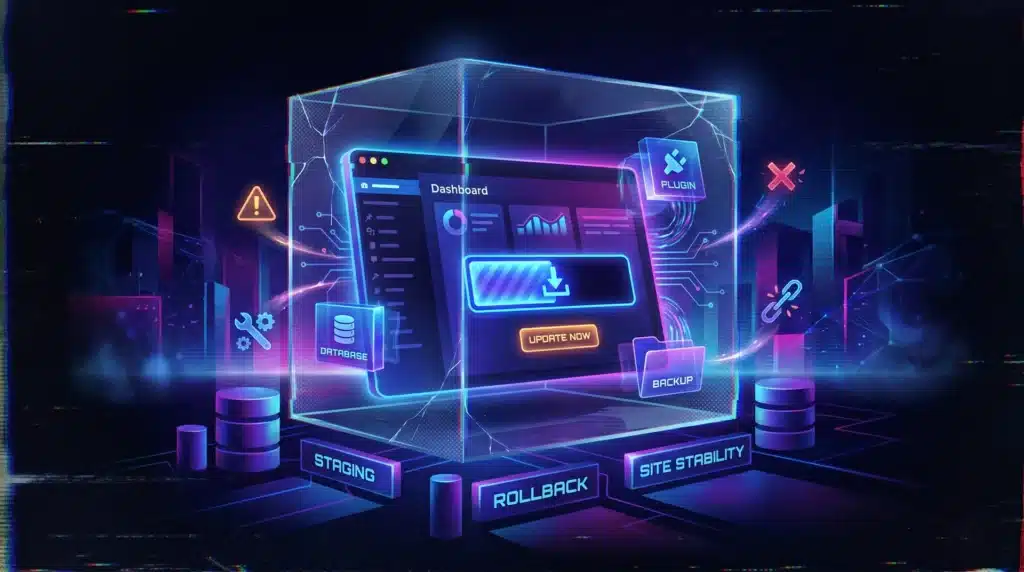
- WordPress 7.0 was released on May 20, but site owners should still treat the update as a major deployment, not a routine dashboard click.
- Reports of broken sites after updates are a reminder to back up, test on staging and check themes, plugins, forms, checkout flows and caching before updating production.
WordPress 7.0 has now been available for three days, and the practical advice for site owners has not changed: do not rush a major update on an important live site without a tested backup.
According to the official WordPress 7.0 documentation, WordPress 7.0 “Armstrong” was released to the public on May 20, 2026. The release process followed a dry run, 24-hour code freeze and release party on the same day.
That makes the update current, but no longer brand new. For publishers, ecommerce stores and business websites, the question is now less “is WordPress 7 out?” and more “when is it safe to update our own site?”

Early update concerns are about the whole WordPress stack
Major WordPress releases often expose problems outside WordPress core itself.
That includes plugins, themes, page builders, caching systems, custom code, ecommerce tools, membership plugins, analytics scripts and server settings. Even if WordPress core is stable, one incompatible plugin or older theme function can still break a site.
That concern is showing up in user discussions around the release. In a Reddit thread about WordPress 7.0, users were already discussing the first things to check after the update and whether themes and plugins were ready.
There is also recent context beyond WordPress 7 itself. A recent plugin incident involving Shortcodes Ultimate reportedly broke hundreds of thousands of websites after an update, showing how quickly a single compatibility or code issue can affect a large number of WordPress installs.
The lesson is not that WordPress 7.0 is unsafe. The lesson is that major updates should be handled like deployments, especially on sites that generate revenue, leads or publishing traffic.
Do not update production first
The safest WordPress 7 workflow is boring, but it works.
Before updating a live site, site owners should create a full backup of the database and files, confirm that the backup can actually be restored, and run the update on a staging copy first.
That staging test should not stop at “the homepage loads.” It should cover the parts of the site that actually matter.
- For ecommerce: product pages, cart, checkout, payment confirmation, shipping, tax logic and order emails.
- For lead generation: forms, thank-you pages, email notifications, CRM integrations and conversion tracking.
- For publishers: article templates, author pages, menus, ad placements, caching, search, structured data and the block editor.
- For membership sites: login, account pages, restricted content, payments and renewal flows.
If those flows break on staging, they would likely have broken on the live site too.
Know your restore path before you need it
A backup is not enough if nobody knows how to restore it.
Before updating, site owners should know where the backup is stored, whether it includes both files and database, how far back restore points go and whether the host can restore the site quickly.
This is especially important for managed WordPress hosting customers who assume backups are automatic. Many hosts do keep backups, but the restore process, retention window and included files can vary.
For important sites, it is worth keeping an independent backup as well. That can be a backup plugin, a manual archive or an offsite backup, depending on the setup.
The key question is simple: if the site breaks after the update, can it be restored within minutes, not hours?
What to check if WordPress 7 breaks your site
If a site breaks after updating, avoid making several changes at once. That makes the real cause harder to find.
Start by checking whether the front end, admin area or both are broken. Then check hosting error logs, WordPress recovery emails and recently updated plugins or themes.
A controlled recovery path usually looks like this:
- Check whether WordPress recovery mode sent an email.
- Open the hosting error logs and look for the plugin, theme or PHP file causing the fatal error.
- Temporarily disable plugins if the admin area is inaccessible.
- Switch to a default WordPress theme if the active theme appears to be the issue.
- Clear page cache, object cache and CDN cache after changes.
- Restore the pre-update backup if the issue cannot be isolated quickly.
For revenue-generating websites, restoring first and debugging later on staging is often the better business decision.
Check hosting and PHP compatibility
The official WordPress.org download page recommends PHP 8.3 or greater and MySQL 8.0 or MariaDB 10.6 or greater.
That does not mean every site on an older environment will instantly fail. But older PHP versions, outdated themes and abandoned plugins increase the risk of compatibility issues when a major WordPress release arrives.
Site owners should avoid combining too many changes at once. Updating WordPress core, changing PHP versions and updating a long list of plugins on the live site in one session makes troubleshooting harder.
A safer order is: clone to staging, update plugins and themes, test, update WordPress core, test again, then schedule the live update during a quiet traffic period.
Should you update now or wait?
For small, simple sites with maintained themes and few plugins, updating soon may be fine after a backup.
For ecommerce stores, membership sites, large publishers or heavily customized WordPress installs, waiting a few more days can be reasonable. That gives plugin and theme developers more time to push compatibility fixes and gives site owners more time to test.
This is different from delaying urgent security patches. WordPress 7.0 is a major version update, and the main risk for many site owners is operational compatibility, not missing the update by a few days.
The Query Post view
Three days after release, WordPress 7.0 should be treated less like breaking news and more like a live deployment decision.
The update may be stable, but every WordPress site is different. A small blog with a default theme is not the same risk as a WooCommerce store with payments, subscriptions, custom checkout logic and ten marketing plugins.
The practical approach is simple: do not be first, do not be careless and do not update without a way back.
WordPress site owners should update, but the order matters: backup, staging, plugin check, theme check, business-critical testing and then production.
The mistake is not updating to WordPress 7. The mistake is treating a major CMS update like a casual admin task.


